

Cashless Vending Machine Payment Systems

A customer standing in front of a vending machine with no cash is not a minor inconvenience. It is a missed sale. Cashless vending machine payment systems give operators a practical way to capture those purchases while reducing the time spent collecting, counting, and reconciling bills and coins. For many new routes, card acceptance is no longer a premium feature. It is part of choosing equipment that fits how people actually buy drinks and snacks.
The right setup depends on the machine, the location, the product price, and the type of customer using it. A used snack machine in a small break room may need a different investment than a smart cooler in a busy apartment lobby. The goal is not to add technology for its own sake. It is to install payment options that support sales, simplify operations, and make financial sense for the placement.
What Cashless Vending Machine Payment Systems Do
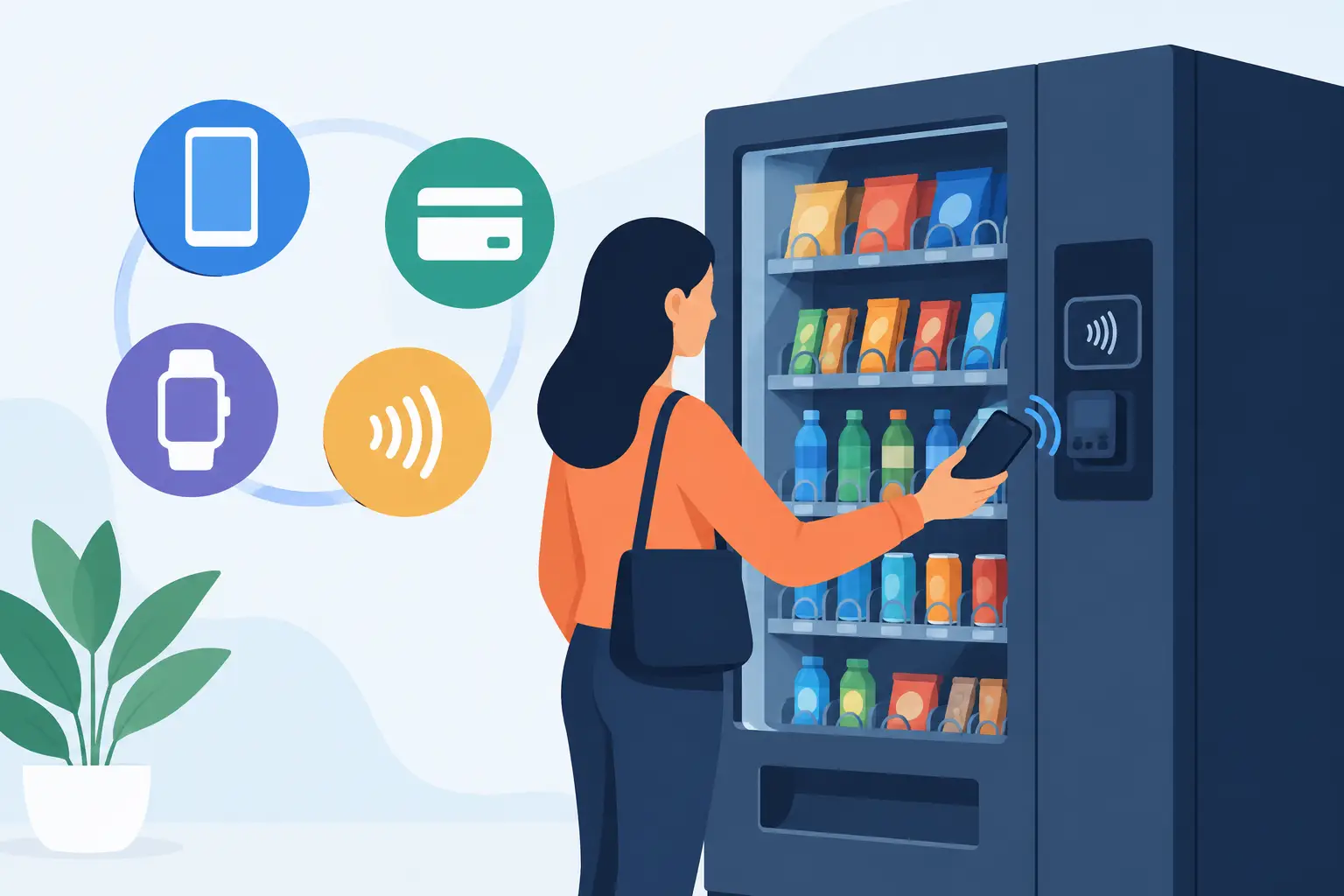
A cashless payment system adds a card reader and payment hardware to a compatible vending machine. Customers can pay with credit and debit cards, mobile wallets, contactless tap-to-pay devices, and, depending on the provider, other approved digital payment methods. The reader sends the transaction for authorization through a cellular or wireless connection, then tells the machine to release the selected product.
For the operator, the reader is usually connected to a management portal or mobile app. That portal can show sales activity, cashless transactions, refunds, and machine alerts. On connected equipment, it may also provide product-level sales data, helping an operator see which items move quickly and which selections are tying up shelf space.
Cashless does not always mean cash-free. Many operators keep coin and bill acceptance active while adding card payments. This hybrid approach works well in laundromats, warehouses, schools where permitted, and other locations where some buyers still carry cash. A fully cashless machine can be a good fit in offices, fitness centers, apartment buildings, and other environments where tap-to-pay is common.
Why Card Acceptance Can Change Location Performance
The most obvious benefit is convenience. A person who has a phone or card but no cash can still buy a beverage, snack, or meal item. That matters most at locations with professionals, students, travelers, and younger customers, but cashless demand is broad across nearly every commercial setting.
Cashless payment can also support higher average transaction values. When customers are not limited by the bills or coins in their pocket, they may be more willing to buy a premium beverage, a second snack, or a higher-priced fresh food option. This is especially relevant for combo machines, glass-front merchandisers, and smart retail formats carrying products above traditional vending price points.
Operationally, fewer cash transactions can mean less collection time and lower exposure to cash shortages, bill jams, and theft. That does not remove all service work. Readers require connectivity, software administration, and occasional maintenance. Still, a machine that reports activity remotely gives an operator more information before making a route stop.
The value varies by location. A low-traffic site with inexpensive products may not generate enough additional sales to justify monthly connectivity fees right away. In contrast, a busy office, hospital waiting area, bowling center, or residential property may see the investment pay back much faster because customers expect electronic payment.
Choose a Machine That Can Support the Reader
Before purchasing a reader, confirm that the machine can communicate with it. Most modern commercial vending equipment uses MDB, or Multi-Drop Bus, a common connection standard that allows components such as bill validators, coin mechanisms, and cashless readers to work with the machine controller. Many newer machines are designed for straightforward cashless upgrades, while older machines may require a conversion kit, controller upgrade, or more extensive work.
When comparing new and used machines, ask about payment readiness rather than assuming every machine can accept a reader. A machine may be described as card-reader-ready, cashless-ready, or MDB-compatible. Those terms can be helpful, but they are not identical in every case. Confirm what hardware is included, what must be added, and whether installation is completed before delivery or handled after the machine arrives.
A new machine often gives first-time operators the simplest path because it may have current electronics, warranty coverage, and built-in compatibility. A used machine can be a strong value when startup capital is limited, particularly if it has a modern controller and has been inspected for commercial operation. The lower purchase price should be weighed against the potential cost of upgrades, repairs, and reader installation.
For an operator expanding an existing fleet, standardizing equipment can reduce headaches. Similar machine models and the same payment provider can make training, troubleshooting, reporting, and parts ordering easier across multiple locations.
Payment methods worth planning for
At a minimum, a current reader should support chip cards, contactless cards, and mobile wallet payments. Contactless capability matters because many customers now expect to tap a phone, watch, or card instead of inserting it.
Consider these practical requirements before selecting a system:
- Cellular or wireless coverage at the exact machine location
- Monthly service, transaction, and processing fees
- Compatibility with the machine controller and peripherals
- Remote reporting features and refund management
- Installation support, replacement options, and account setup requirements
These details affect the real operating cost. A reader with a low upfront price may have higher monthly fees, while another option may cost more initially but offer reporting tools that save route time. Review the full pricing structure instead of making the decision based only on hardware cost.
Connectivity Is Part of the Equipment Decision
A reader cannot process payments reliably without a dependable connection. Cellular readers are common because they do not require access to a building’s Wi-Fi network. That can be useful when placing machines at customer sites where network credentials are unavailable or where IT departments restrict third-party devices.
However, cellular signal should be checked before a machine is placed. Basements, concrete rooms, remote work areas, and metal-heavy facilities can cause weak reception. A payment system that works inconsistently creates failed transactions and frustrated customers. In some cases, an external antenna or a different reader configuration may help. In others, the location may be better suited for a different machine position.
Wi-Fi can work well when a business provides stable access, but it introduces another dependency. Password changes, network updates, and guest-network limitations can interrupt service. For most independent operators, cellular connectivity is easier to manage, even if the monthly cost is slightly higher.
Use Cashless Data to Build a Better Route
The strongest case for cashless equipment is not only the ability to accept cards. It is the information that comes with connected sales. Transaction data can help an operator decide when a machine needs service, which columns sell out first, and whether a location is producing enough revenue to deserve a larger machine or expanded product mix.
For example, if a snack-and-drink combo unit repeatedly sells out of energy drinks and protein snacks while slower items remain stocked, the product plan needs adjustment. If a location produces frequent card declines at certain times, checking signal strength and reader status may prevent lost sales. If remote sales show a machine is underperforming, an operator can evaluate whether the issue is pricing, product selection, placement, or foot traffic before investing more time in the stop.
Smart coolers and AI-enabled unattended retail systems take this further by supporting a broader shopping experience. They can be a good fit for locations that need more product variety, premium beverages, fresh foods, or open-display merchandising. They also carry a higher equipment cost and should be matched to proven traffic, customer demand, and a location willing to support the format.
Avoid Common Cashless Setup Mistakes
The first mistake is buying a reader before confirming machine compatibility. The second is selecting a machine based only on purchase price, then discovering that it needs a controller upgrade or costly service work to accept cashless payments. The third is overlooking processing and connectivity fees when projecting route income.
Another frequent problem is placing a cashless machine without testing the product mix and price points. Card acceptance can increase sales, but it cannot fix a poor location or products customers do not want. Start with selections that fit the setting. Cold beverages and quick snacks may lead in a warehouse, while a property management office or upscale apartment community may support healthier snacks, premium drinks, and convenience items.
It also helps to set clear refund procedures. Customers expect quick resolution if a product fails to vend after payment. A payment platform with accessible transaction records makes it easier to verify the issue and handle refunds without unnecessary back-and-forth.
Buying for Your First Machine or Next Expansion
For a first-time vending business owner, a card-reader-ready combo machine is often a practical starting point. It offers snacks and beverages in one footprint, gives a new operator flexibility to test a product mix, and can be placed in many common commercial environments. If budget is the main constraint, a compatible used machine may provide a lower-cost entry point, provided its condition and payment upgrade path are clear.
For established operators, cashless capability should be part of replacement planning. Older machines that generate service calls, accept only cash, or provide no sales visibility can cost more than they appear to save. Replacing them with reliable, connected equipment can improve customer access and help make route decisions with real sales data.
VendingMachinesForSale.net offers conventional, specialty, and technology-forward machine formats so operators can compare equipment based on capacity, condition, payment functionality, and placement needs. The best purchase is the one that fits the location’s traffic and gives the operator room to grow without overspending on features the site will not use.
Start by evaluating the customer at the location, not just the machine. When the payment option matches how that customer wants to buy, a vending machine becomes easier to use, easier to manage, and more likely to earn its place on your route.